
Mozilla Thunderbird is, in my opinion, the absolute best free e-mail program available. It doesn't have the vulnerabilities found with Outlook, primarily due to the fact that it is not an "attack target" like Microsoft products. Even when vulnerabilities are found, they are quickly patched by the community of developers that support Thunderbird. We've put together a list of … [Read more...]
Mozilla Thunderbird Tutorial - Mailing Lists
Thunderbird is a very powerful free e-mail client found at Mozilla.org. You will find it to be very easy to use, but not always intuitive. One of the questions I've been asked several times is with respect to setting up mailing lists in Thunderbird. This is actually very easy to do. Mailing lists can be very handy for mailing messages to any group of people, whether it be a … [Read more...]
Changing Mozilla Thunderbird Password
Almost everyone who uses Mozilla Thunderbird is impressed with the tons of features that are built into this free e-mail client. However, as with most freebie software, it is not always very intuitively designed and some things are not easy to figure out. One such situation becomes apparent when the need arises to change an e-mail account password. Sometimes you need to … [Read more...]
Mozilla Thunderbird - Changing the File Location with Windows XP
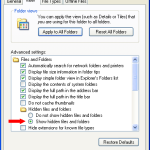
Mozilla's Thunderbird is a free and very popular e-mail client. Thunderbird is actually very configurable, but the methods required to change certain aspects of the program are not very intuitive. One issue that I ran into is related to doing backups. The default location for files is buried in a special Application Data folder in the Documents and Settings folder. That makes … [Read more...]